
From Excel to Excellence
Transforming a fragmented Talent Placement process into a seamless digital experience
The Challenge
Legacy systems create modern frustrations
Legacy Frustration
Scattered Processes: Leadership was managing demands, candidate evaluations, and feedback through multiple Excel sheets.
Inefficiencies: Manual updates, version mismatches, and cumbersome client synchronizations created delays and confusion.
The Need
Transform a fragmented, error-prone Excel-based system into a centralized, automated, and intuitive digital tool that supports every step of the hiring lifecycle.
"What if your entire hiring process depended on scattered Excel sheets - manual updates, version conflicts, and endless email threads? Talent Point was built to end that chaos."
The Genesis of Talent Point
From an idea to a transformative solution
From Excel to Wireframes
Born out of the challenges during the COVID-19 remote work era, Talent Point emerged as a creative workaround. With the team's deep familiarity with Excel, initial wireframes were crafted using spreadsheets - complete with borders and colors - to ensure everyone, from leadership to design, was aligned.
"We turned a limitation into an opportunity by using Excel to sketch our ideas, ensuring that every stakeholder was on the same page."


Pre-Talent Point Era
Demand Management
Daily manual updates and multiple document versions.
Candidate Evaluations
Scattered assessments and feedback across separate files.
Communication Overload
Endless back-and-forth emails added to the complexity.
This setup underscored the need for a cohesive, automated system.
My Role & Contributions
Transforming vision into reality
As the sole UX designer on the project, I transformed the scattered Excel processes into a structured, user-friendly digital solution by:
Stakeholder Collaboration
Working closely with leadership to extract and translate requirements into intuitive workflows.
Innovative Wireframing
Leveraging Excel for early sketches to bridge the technical gap before moving to standard UX tools.
Designing for Adoption
Creating an interface that maintained familiar elements from the spreadsheet environment to ease the transition.
My UX Approach
“When your stakeholder’s best tool is Excel, your best move is to meet them there.”
Wireframed with my project manager directly in Excel during remote calls - using borders, colored cells, and basic layouts to structure conversations and extract product thinking.

“They couldn’t show me what they wanted, so I learned to hear what they meant.”
Used structured conversation guides and behavioral scenarios to clarify complex needs around skill filters, demand tracking, and candidate evaluations.
“Just because Excel handled everything, didn’t mean the new tool should.”
Resisted over-digitization by focusing only on workflows that caused bottlenecks. Especially since folks might be unwilling to switch over to a new tool and learn an entire software in a short period of time.
For e.g., interview logging, proposal mapping, and dashboard accuracy.

“Every table in Talent Point feels like a smarter Excel - on purpose.”
The interface intentionally uses table-based patterns, dropdown-heavy layouts, and familiar labels to reduce the learning curve and avoid adoption friction.
“Design didn’t stop at the screen - it extended into culture.”
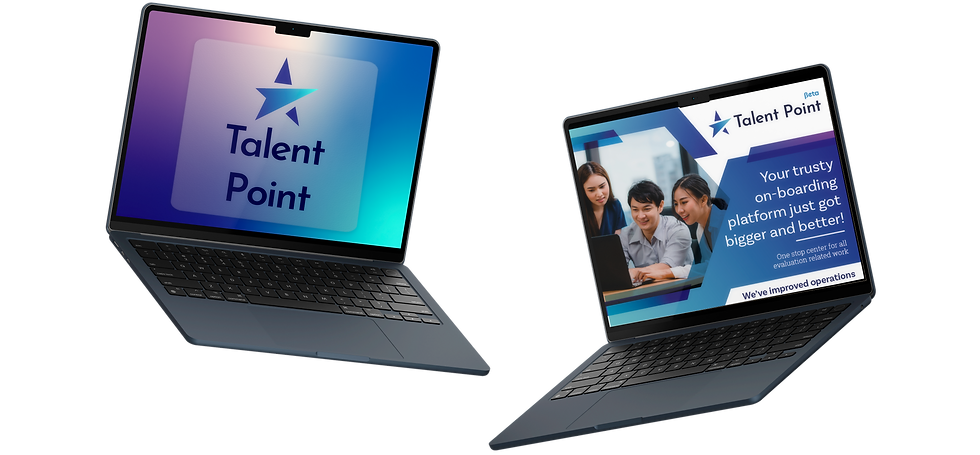
Collaborated on flyers that encouraged users to join training sessions to transition smoothly. Designed onboarding flyers to encourage folks to move to the new application from using excel.

User Personas
I built Proto-Personas from internal insights - based on an understanding of stakeholder workflows, rather than formal persona research
Dinesh
Delivery Lead
“I need quick access to who’s available and if they’ve been vetted yet.”
-
Creates and manages new project demands
-
Wants real-time status updates
-
Relies on dashboards to make fast decisions
Tariq
Talent Manager
“I want to know who’s proposed, evaluated, and ready to onboard, without digging through spreadsheets.”
-
Matches people to project needs
-
Filters based on skills and availability
-
Tracks multiple proposals at once
Priya
Project Interviewer
“I want to log feedback right after an interview, while it’s still fresh.”
-
Conducts internal interviews
-
Inputs scores and training needs
-
Needs quick, no-nonsense forms
The Solutions & Key Features
Bringing Structure to Demand Management
Adding & Editing a Demand
From project requirements to structured hiring - seamlessly.
What it does
Leaders can now initiate a project demand with role specifications, required skills, and expectations, all in one place. The process includes:
✅ Defining required roles (e.g., 2 developers, 1 manager, etc.)
✅ Specifying skill expectations for each role
✅ Creating the Statement of Work (SO) to finalize demand
Standardizing Internal Interviews
Standardizing evaluations for better resource allocation.
What it does
Internal interviews help assess resource suitability before external evaluation. This flow enables:
✅ Logging interview details and evaluation criteria
✅ Assigning interviewers and tracking assessments
✅ Identifying training needs for skill gaps
Profile Mapping
Matching the right talent to the right demand.
What it does
With Talent Point, profile mapping is faster and more accurate:
✅ Search for candidates based on skills & experience
✅ Propose a candidate for a specific demand with one click
✅ Ensure all mapped profiles align with project requirements
Scroll


Mapping Resources to Demand
From demand to deployment - effortlessly
What it does
Instead of manually filtering spreadsheets, users can now:
✅ Select a demand and browse eligible candidates
✅ Apply filters to find the best match
✅ Propose resources instantly, ensuring faster project staffing

Customer Evaluation
Closing the loop with structured feedback.
What it does
Once a candidate is proposed, customers can provide real-time feedback on their suitability:
✅ Rate candidates based on skill match
✅ Capture comments to refine future recommendations
✅ Approve or request further evaluation before onboarding
Scroll


Impact & Outcome
From Spreadsheets to Strategic Excellence
Faster, More Structured Decision-Making
1200+
daily-synchronized demands across 50+ skill sets
5000+
candidate profiles evaluated annually with structured metrics
Real Time
dashboards delivering insights on RFR response, exit rates, and net headcount
"Decisions that once took weeks are now made in days."
Transformative Results


Training & Communication
Flyers and virtual training sessions eased the shift from Excel, emphasizing clear benefits and step-by-step guidance.
Enhanced Interview Efficiency
A structured logging process helped increase interview throughput - with top interviewers logging 50+ interviews in just three months.
Internal Usability Feedback Loops
Instead of formal testing, I worked closely with early users through:
✅ Screen-share observation during initial onboarding
✅ Tracking repeated questions from training sessions to spot UX friction
✅ Monitoring in-app behaviors (e.g., interview logs, demand creation) to understand adoption patterns
✅ Live iteration - fixing issues in filtering UX, simplifying skill forms, adjusting button placement
❤️ The most telling validation was when we realised that we stopped getting Excel files and started getting feature requests for Talent Point
"When processes are frictionless, people embrace them."
Talent Point is more than a tool - it's a transformation story. By turning scattered Excel data into a unified, intuitive system, we empowered leadership with clarity, speed, and structure. This project showcases how a focused design approach can seamlessly bridge the gap between legacy practices and modern, data-driven decision-making.
Hi! Explore my other projects

Corporate Voice Provisioning Tool
A transformation journey from a legacy, engineer-dependent system to an intuitive, self-service web platform.
April 2021 - Present

Affordable Housing Program
A seamless, automated solution for community lenders and housing partners to manage funding programs efficiently.
Nov 2019 - March 2021